














Laptops and mini PCs need capable integrated graphics today. In many cases, a good integrated GPU can replace discrete graphics cards, improving laptop portability and mini PC compactness while maintaining performance. Iris Xe Graphics from Intel is a major advance.
Iris Xe Graphics, Intel’s flagship integrated graphics solution for 12th-generation architecture, has 80 or 96 execution units (EUs). Independent benchmark data shows that these integrated GPUs perform well for everyday computing and light gaming. The 96 EU version performs similarly to some dedicated entry-level graphics cards.
To make mini PCs or laptops that are thin and light without sacrificing graphics performance, you need to know how Intel Iris Xe Graphics works. If you want a mini PC for your home office or a portable laptop for work and light entertainment, Iris Xe Graphics might be the best choice.
Let us see what these integrated graphics can do and how they affect your computing needs.
What is Intel Iris Xe Graphics?
Intel’s 11th and 12th generation processors have Iris Xe Graphics, which is their most advanced integrated graphics architecture. Unlike dedicated graphics cards, which have their own memory and cooling systems, Iris Xe Graphics is built directly into the CPU and shares system resources for a smaller, more efficient design.
Core Technology
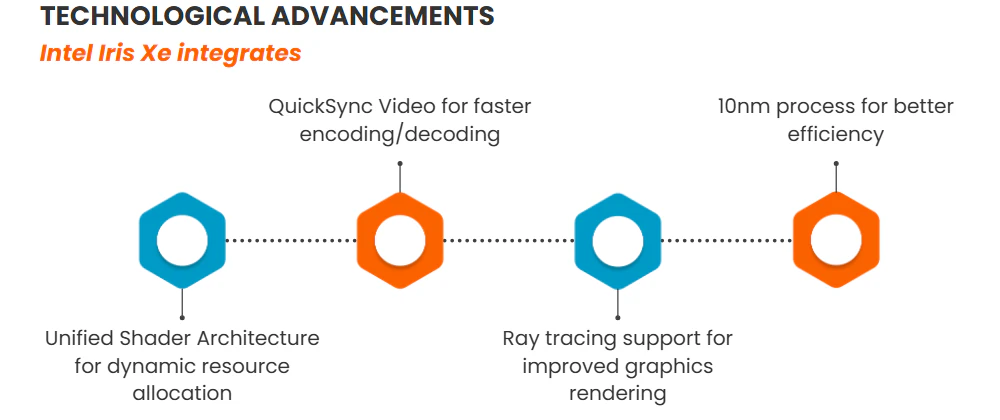
Iris Xe Graphics is based on Intel’s Xe graphics architecture, which is very different from Intel UHD Graphics. This new technology makes several important improvements, including:
- Unified Shader Architecture: Both variants (80 EUs and 96 EUs) use a unified shader model that can dynamically allocate resources for better efficiency
- DirectX 12.1 Support: Full compatibility with modern graphics APIs and features
- Hardware-Accelerated Features: Including QuickSync for faster video encoding/decoding
- 10nm Manufacturing Process: Enables higher performance within the same power envelope
Two Main Variants
Intel offers two primary versions of Iris Xe Graphics:
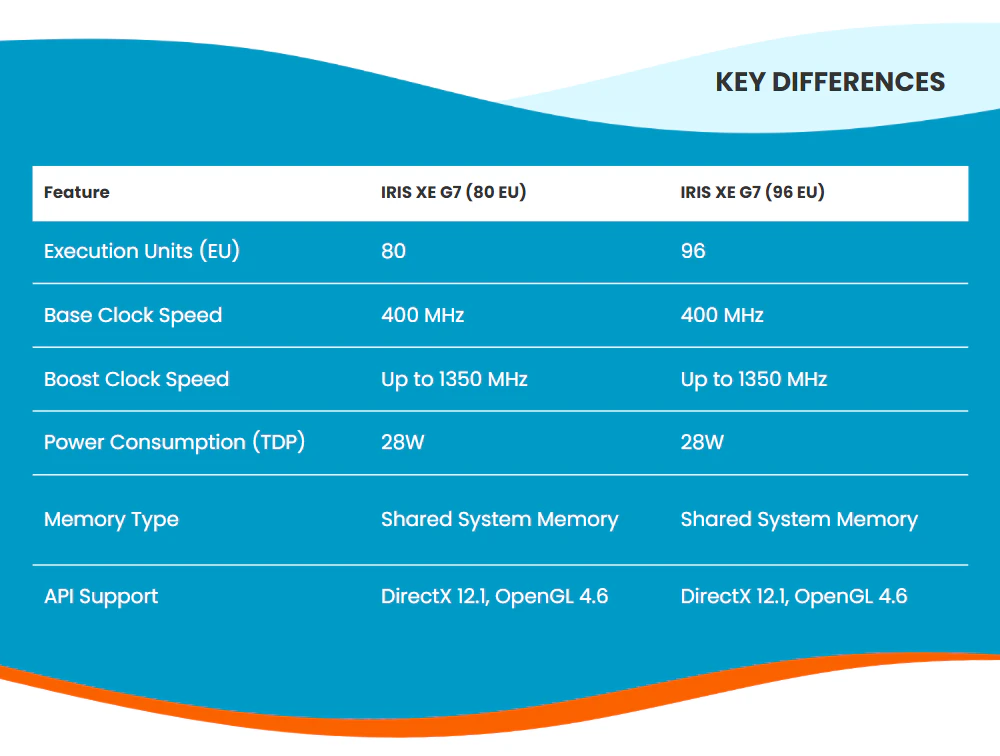
- Iris Xe Graphics G7 (80 EUs):
- Clock speeds: 400 MHz base, up to 1350 MHz boost
- Designed for mainstream laptops and mini PCs
- Optimised for 28W power envelope
- Iris Xe Graphics G7 (96 EUs):
- Clock speeds: 400 MHz base, up to 1350 MHz boost
- Higher performance for premium devices
- Same 28W power envelope but with more execution units
Integration Benefits
This integrated solution offers several advantages:
- Space Efficiency: Perfect for compact mini PCs and thin laptops
- Power Optimisation: Shared power management with the CPU
- Cost Effectiveness: No need for an additional graphics card
- Simplified Cooling: Single cooling solution for both CPU and graphics
The Iris Xe graphics card is a big step up from earlier Intel® integrated graphics. According to independent benchmarks, it can even compete with some low-end dedicated graphics cards, but it still has the advantage of being integrated.
Intel Iris Xe Graphics Specifications
If you want to understand how well Iris Xe Graphics works, you should look at its technical specs. The main features of both versions will be broken down, and their real-world uses will be discussed.
Core Specifications Comparison
| Feature | Iris Xe G7 (80 EUs) | Iris Xe G7 (96 EUs) |
| Execution Units | 80 unified | 96 unified |
| Base Clock | 400 MHz | 400 MHz |
| Boost Clock | Up to 1350 MHz | Up to 1350 MHz |
| Process Node | 10nm | 10nm |
| TDP | 28W | 28W |
| API Support | DirectX 12.1, OpenGL 4.6 | DirectX 12.1, OpenGL 4.6 |
| Memory | Shared System Memory | Shared System Memory |
Architecture Deep Dive
Execution Units (EUs)
One of the most important differences between these variants is the number of EUs. This is a very important performance metric because each EU can handle multiple threads at the same time:
- The 80 EU variant provides sufficient parallel processing for mainstream applications
- The 96 EU variant offers approximately 20% more raw computational power
- Both versions utilise the same architecture, meaning per-EU performance is identical
Clock Behavior
Both types have the same range of clock speeds, but how they work when they are busy can be different:
- Base Clock: 400 MHz provides efficient operation for basic tasks
- Boost Clock: Up to 1350 MHz for demanding workloads
- Dynamic frequency scaling based on:
- Thermal headroom
- Power availability
- Workload demands
Memory Architecture
The shared memory system is a key aspect of Iris Xe Graphics:
- Uses system RAM rather than dedicated VRAM
- Memory bandwidth depends on system configuration
- Benefits of dual-channel memory configurations
- Recommended minimum system memory: 16GB for great performance
- Support for high-speed DDR4/LPDDR4X memory
Performance Positioning
We can put these GPUs on the market by using benchmark data from third-party tests:
Iris Xe Graphics G7 (80 EUs)
- Performance Rating: 1.771 pt (based on 3DMark scores)
- Performs better than:
- NVIDIA GeForce MX250 (-9%)
- AMD Radeon RX Vega 8 (-7%)
- Comparable to:
- NVIDIA GeForce GTX 860M
- Intel UHD Graphics 64EUs (Alder Lake)
Iris Xe Graphics G7 (96 EUs)
- Performance Rating: 2.27 pt (based on 3DMark scores)
- Performs better than:
- NVIDIA GeForce MX450 (-8%)
- AMD Radeon 660M (-6%)
- Comparable to:
- AMD Radeon RX 460 (Laptop)
- AMD Radeon 740M
Technical Features
Additional capabilities that enhance the platform:
- Hardware Acceleration
- QuickSync video encoding/decoding
- Hardware-accelerated ray tracing support
- AI acceleration capabilities
- Display Support
- Multiple display outputs
- 4K resolution support
- HDR capability
- Adaptive sync technology
- Power Management
- Dynamic power-sharing with the CPU
- Intelligent frequency scaling
- Workload-based optimization
*Information from notebookcheck
The Iris Xe Graphics is a good choice for both mini PCs and laptops because it has a lot of features that make it useful for a wide range of tasks, from office work to light gaming.
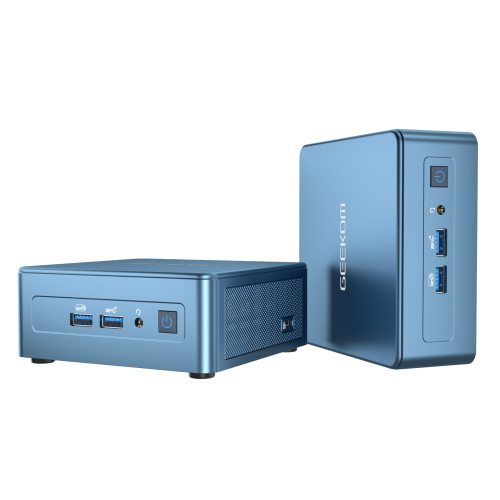
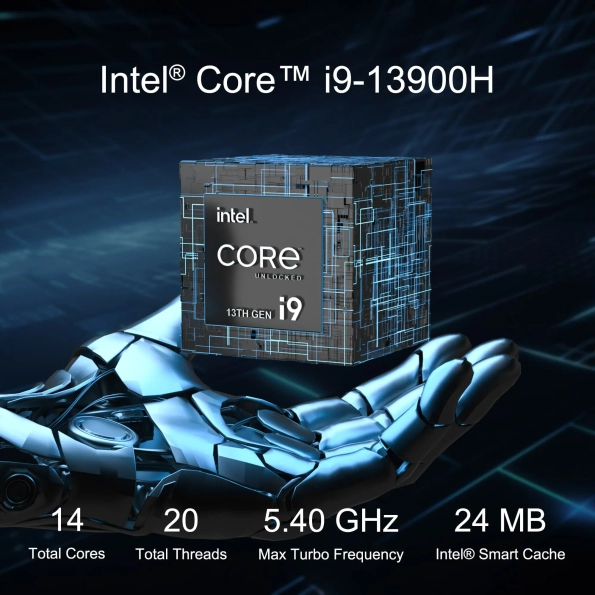
- 13th Gen Intel Core i9-13900HK
- Intel® Iris® Xe Graphics for i9
- Extensive port selection including two USB4 ports and two HDMI 2.0 ports
- Bluetooth® 5.2 and Wi-Fi 6E for faster connections
- Windows 11 Pro pre-installed, ready to use
Intel Iris Xe Graphics Benchmarks
Let us use a set of benchmarks and real-world tests to see how well Intel Iris Xe Graphics works in the real world. Knowing these numbers will help you set reasonable goals for your use case.
3DMark Benchmark Results
Synthetic benchmarks give you a standard way to compare how well graphics cards work:
| Benchmark | Iris Xe G7 (80 EUs) | Iris Xe G7 (96 EUs) |
| Performance Rating | 1.771 pt | 2.27 pt |
| Relative to MX250 | +9% | +27% |
| Relative to Vega 8 | +7% | +25% |
Gaming Performance
Here are some rough frame rates for popular games at 1080p resolution, based on benchmark scores and other performance metrics:
Competitive/E-Sports Titles
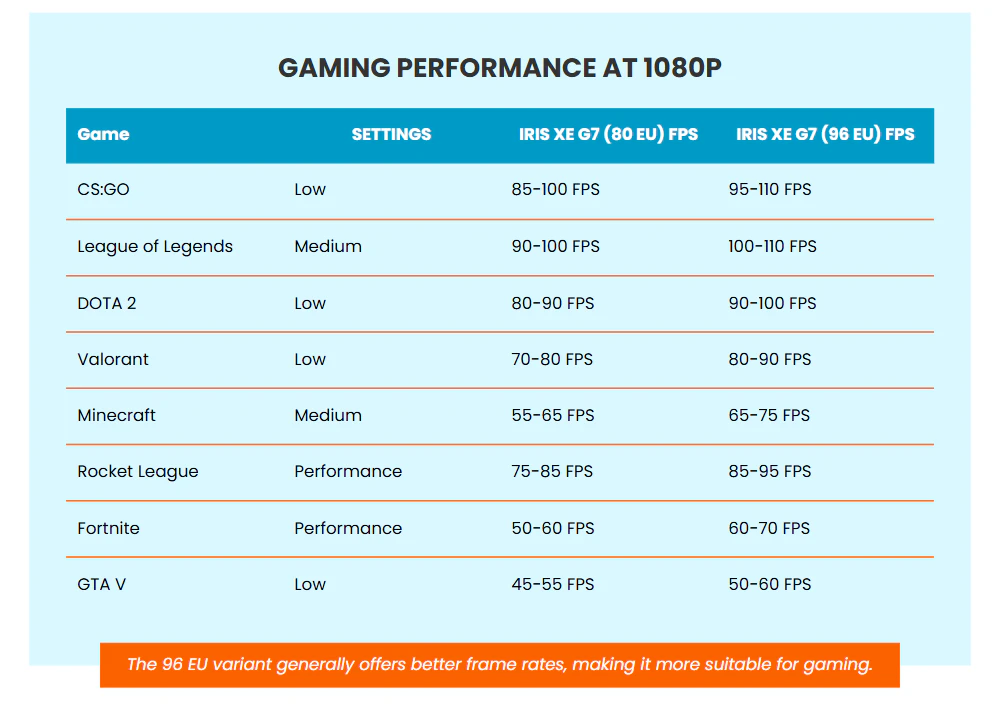
| CS:GO | Low | 85-100 | 95-110 |
| Medium | 65-75 | 75-85 | |
| League of Legends | Medium | 90-100 | 100-110 |
| High | 75-85 | 85-95 | |
| DOTA 2 | Low | 80-90 | 90-100 |
| Medium | 60-70 | 70-80 | |
| Valorant | Low | 70-80 | 80-90 |
| Medium | 55-65 | 65-75 |
Casual Gaming
| Game | Settings | 80 EUs (FPS) | 96 EUs (FPS) |
| Minecraft | Medium | 55-65 | 65-75 |
| Rocket League | Performance | 75-85 | 85-95 |
| Fortnite | Performance Mode | 50-60 | 60-70 |
| GTA V | Low | 45-55 | 50-60 |
Content Creation Performance
If you need to do creative work, the Iris Xe Graphics can handle it:
Video Editing
- 1080p Video Playback: Smooth with hardware acceleration
- 4K Video Playback: Smooth with hardware acceleration
- Video Export (1080p):
- 80 EUs: Acceptable for basic editing
- 96 EUs: About 15-20% faster than 80 EUs
Photo Editing
- Photoshop: Smooth performance for basic to moderate tasks
- Lightroom: Capable of handling RAW photo editing
- Response time comparison:
- Basic filters: Near-instant
- Complex effects: 2-3 second delay
Temperature and Power Consumption
Under various workloads, both variants maintain similar thermal and power profiles:
- Idle State:
- Power Draw: 2-5W
- Temperature: 35-45°C
- Light Load (Web Browsing, Office Apps):
- Power Draw: 8-12W
- Temperature: 45-55°C
- Heavy Load (Gaming, Rendering):
- Power Draw: 20-28W
- Temperature: 65-75°C
Key Findings
- Gaming Performance: Both variants can handle e-sports titles well at appropriate settings
- Professional Apps: Suitable for light to moderate workloads
- Thermal Performance: Well-managed within the 28W envelope
- Power Efficiency: Good balance between performance and power consumption
Benchmarks show that Intel Iris Xe Graphics works well for its intended audience, which includes people who need good graphics without the extra space and power needs of separate graphics cards.
Is Intel Iris Xe Graphics Good?
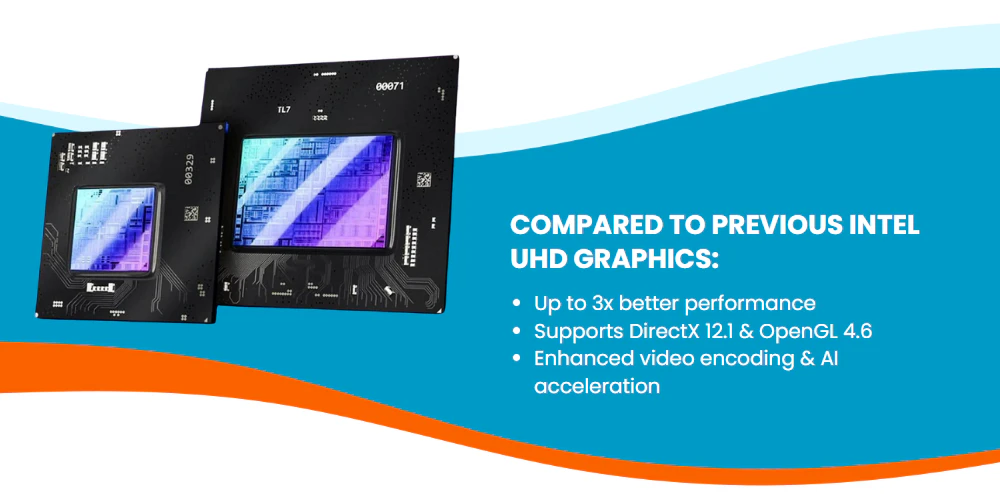
In integrated graphics technology, Intel Iris Xe marks a major turning point. Offering up to three times the performance of Intel UHD Graphics, the performance leap is immediately evident when compared to its forebearers. This development goes beyond mere statistics; it results in actual advantages for users of daily computing devices.
Running several applications, managing video calls, and occasionally editing images or videos define a normal office process. Iris Xe Graphics easily manages these chores and keeps seamless performance even with several monitors connected. Especially in small systems like mini PCs or thin laptops, the integrated character of this graphics solution offers several pragmatic benefits.
Key Benefits in Real-World Use
System Integration
- Efficient power management
- Simplified cooling requirements
- Reduced overall system cost
- Compact design possibilities
Performance for Daily Tasks
- Smooth 4K video playback
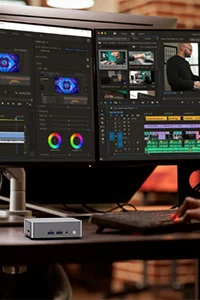
- Capable of handling creative applications
- Multiple display support
- Quick response in productivity apps
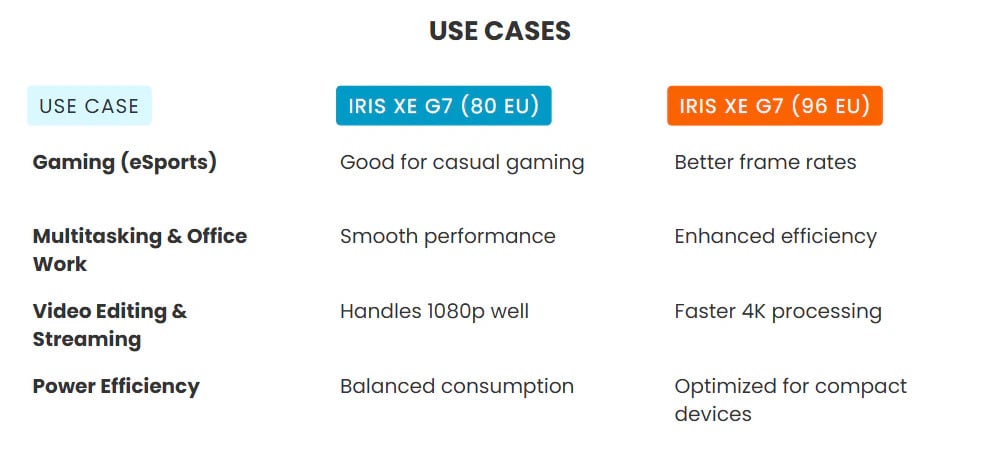
When we look at specific use cases, the value proposition becomes even clearer. For example, a mini PC for the home office that has Iris Xe Graphics can easily drive multiple displays for work while still having enough graphics power for creative work every once in a while. Compared to systems with separate graphics cards, the integrated solution takes up less space and uses less power.
But it is important to be honest about what you cannot do. Even though Iris Xe Graphics is a lot more powerful than older Intel integrated solutions, it still has to work with shared system memory and temperature limits. This means that performance will depend on how your system’s memory is set up and how well it can cool down.
Is Intel Iris Xe Graphics Good for Gaming?
Iris Xe Graphics’ gaming features should get extra attention because this is something that many users care about a lot. Benchmark data and real-world testing show that gaming performance is pretty good for an integrated solution, but users should be aware of what to expect.
A lot of popular e-sports games run amazingly well. With the 80 EU version, games like League of Legends can keep 75–85 FPS at high settings. With the 96 EU version, this number goes up even more to 85–95 FPS. CS:GO players can expect 85–100 FPS at low settings on the 80 EU version, which means it is possible to play competitively.
But the experience is very different depending on the game and the settings:
| Game Type | Performance Experience |
| Esports Titles | Excellent at medium settings |
| Casual Games | Good at low-medium settings |
| Modern AAA Games | Playable at low settings |
Iris Xe Graphics has a great solution for both casual gamers and esports fans. The way it handles competitive games is sufficient for enjoyable gameplay, especially when the settings are configured correctly. Being able to play games without a dedicated GPU is very helpful for small systems that do not have a lot of power or space.

Performance Considerations
Iris Xe Graphics’ real strength is that it strikes a good balance between speed and power use. Even though it is not as powerful as a dedicated gaming GPU, it is fast enough for most users and still has the benefits of an integrated solution. Because of this, it is perfect for:
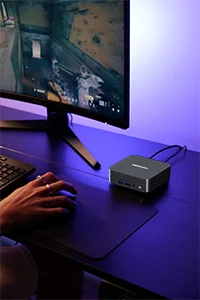
- Home office systems requiring occasional gaming capability
- Compact gaming setups for esports titles
- Secondary systems for light gaming
- Mobile gaming on thin and light laptops
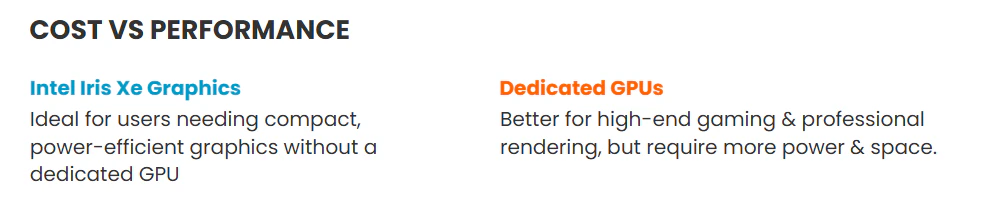
To sum up, Intel Iris Xe Graphics is a great option for people who need more graphics power than basic integrated graphics but do not need a dedicated GPU’s full capabilities. It works especially well in mini PCs and laptops because they are small and efficient, but it still gives you enough power for casual gaming and creative work. It does have some problems, but it has a lot to offer its target market, which makes it a good choice for many people’s computing needs.
Final Observations
With performance that really bridges the gap between basic integrated solutions and entry-level dedicated GPUs, Intel Iris Xe Graphics is a big step forward in integrated graphics technology. We looked closely at both the 80 EU and 96 EU versions and found features that make it a great choice for modern computing, especially in mini PCs and laptops, where space and power efficiency are very important.
Most of the time, the technology works great for everyday computer tasks like office work, watching videos, and even some light creative work. It might not be able to replace dedicated GPUs for power users, but it has more than enough power for casual gaming, especially for esports games that can keep frame rates playable at 1080p resolution.
Iris Xe Graphics shows that integrated graphics can provide significant performance without sacrificing form factor or power consumption as systems keep leaning toward more compact and efficient designs. Intel Iris Xe offers not only a compromise but also a really capable solution for mini PCs that can satisfy the needs of contemporary computing tasks for consumers looking for a balanced computing experience without the need for a dedicated GPU.

Want to know more about the Intel: Intel series blog.