














The Intel Core Ultra 7 and Intel Core i7 are popular processors marketed for very different users. Understanding how these two CPUs are different can help a future buyer, whether for consumer use, professional use, or gaming, make sense when buying a new desktop, mini PC, or laptop. This Intel Core Ultra 7 vs i7 comparison is essential for making an informed decision.
The Intel Core Ultra 7 is equipped with many new state-of-the-art features, including specialised purpose-built functions like AI processing units and cutting-edge graphics solutions, which make it a processor optimised for higher usage and creative use case scenarios. The Intel Core i7 has been the dependable workhorse of computing as a general performance factor in computing for consumers on the go and professionals for many years. The Core i7 has served as a mainstream performance processor to achieve a balanced performance experience for general computing purposes.
In this section, we plan to investigate further the formally differing lines of processors, highlighting their respective performance potential, technology potential, and value potential. Comparing the Ultra 7 vs i7 hereafter will help learn if one processor would be the right choice based on personal computing needs, requirements, and budget.
Comparison of Intel Core Ultra 7 vs i7 Processors
Performance Capabilities
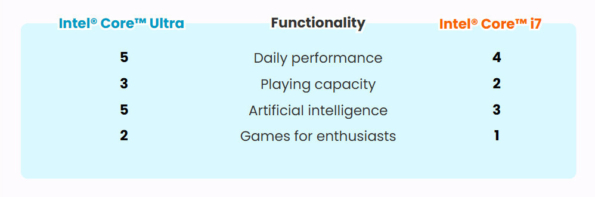
The Intel Core Ultra 7 and Intel Core i7 series represent varying performance tiers within Intel’s wide range of processors. The i7 has always been known for its strong performance in mainstream computing, and it includes capabilities for multitasking and energy efficiency, which makes this processor a go-to for general users and enthusiasts who want performance and affordability when not configuring an extreme build.
In the Intel Core Ultra 7 vs i7 comparison, the Core Ultra 7 is designed for greater performance demands, where the increased computing performance and AI capabilities stand out in tasks related to data, running AI, and high-performing gaming.
In terms of benchmarks, the Core Ultra 7 generally outperforms the i7 series in multi-threaded workloads, since its core and thread counts are much higher. When you look at CPU benchmarks related to video encoding or rendering 3D, for example, IQ and performance greatly favour the Ultra 7. This is further accentuated in AI-enhanced applications where the integrated AI capabilities of the Ultra 7 come into play, offering accelerated performance that is not achievable with the Core i7.
Technological Enhancements
The Intel Core Ultra 7 represents multiple technological advances that differentiate it from the more familiar Intel Core i7. The most important advancement is the integration of AI capability inside the CPU architecture. The Ultra 7 has Intel’s AI Boost technology, which speeds everything up that constitutes AI work while using power more efficiently for said tasks.
A significant advancement is the introduction of Intel® Arc™ graphics into the Ultra 7 CPUs. This is a clear step away from the integrated graphics found in the Core i7 series. Intel’s® Arc™ graphics contribute to a superior graphics experience, ray tracing graphics capability, and more efficient gaming and creative tasks where graphics process activity is average or above-average with heavy graphics load. This makes the Ultra 7 a strong contender for someone who needs outstanding graphics from a CPU, without worrying about a discrete graphics card.
In addition, the Ultra7 implementation provides, through increased processes, general computing efficiency and thermal performance, which enable greater speeds and longer sustained performance while under load. This is of particular value to those performing prolonged sessions of high-demand computing, whether it is gaming, video editing, or professionals in animation and design.
In short, while the Intel Core i7 continues to provide high levels of performance across a multitude of computing applications, the Intel Core Ultra 7 takes it a step further with more technology geared towards applications that demand the most from a computing environment. Cases in high artificial intelligence processing and high-performance graphics procure standards for specialisation and heavy-duty needs.
Want to know about higher-quality CPUs? Please see here: Intel Core Ultra 9 Vs i9.
Intel Core Ultra 7 vs i7: Key Differences Explained
Core Specifications
The Intel Core and Core Ultra processors both feature a product for each designated segment of the computing marketplace, each with their own performance requirements and efficiencies.
Clock Speeds and Cores:
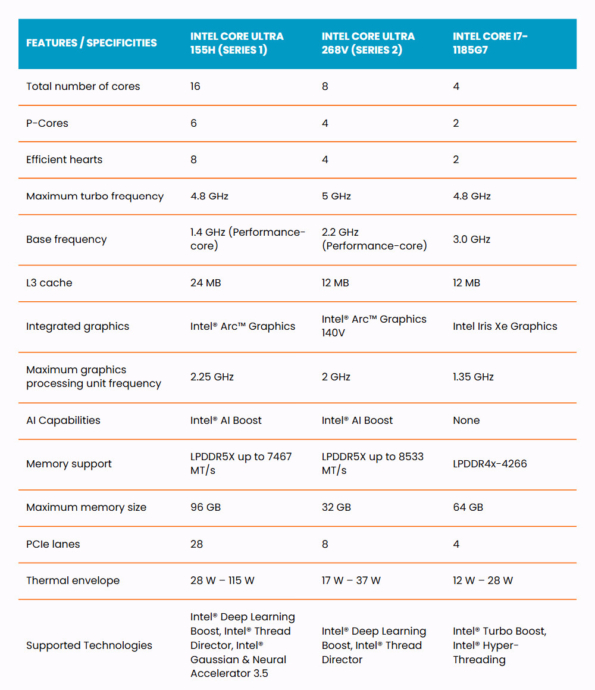
The Intel Core i7 processors, like the i7-1185G7, tend to come with a smaller core count, like this model, which has 4 cores and 8 threads. They benefit, however, from higher clock speeds (up to 4.8 GHz with Turbo Boost), making them ideal for any apps that would benefit from high clock performance alongside multitasking.
The Core Ultra processors, such as the Intel Core Ultra 155H, have a high core count (i.e. 16 cores and 22 threads for the 155H) with a high turbo frequency potential as well. While staying comparable to the Turbo of the i7 models, the addition of more cores enables vastly improved multitasking and parallel work potential.
Power Efficiency:
Intel Core i7: While base power may be lower overall than that of an Ultra processor, it can still deliver at least temporarily good performance within the given TDP range (12W – 28W). Therefore when sufficient power is available, the i7 is an appropriate choice for energy-efficient laptops and portable devices.
Intel Core Ultra 7: The Ultra processors are specified for more power-draining workloads than the i7, which is the standard TDP specification it should computing will be constrained by. (Typically Ultra 7 over its life could be expected around 28W – 115W for the H series (155H is an example) Power budget increases to performance ceiling over a longer period executing a large dataset AI task in an AI application write-up or general emphasize a larger graphics proof for IA that would have to be accounted for with TDP.
Integrated function
Intel® AI Boost and Intel® Arc™ GPU:
Intel Core Ultra 7: Features such as Intel® AI Boost and Intel® Arc™ Graphics are evident in the Core Ultra 7 series. Intel® AI Boost extends the processor’s ability to efficiently process artificial intelligence workloads ideal for either machine learning applications or deep learning processes. In addition, Intel® Arc™ Graphics provides advanced mini-GPU capabilities embedded into the processor, increasing graphics performance by providing higher capacity capabilities in ray tracing and AI-enhanced Imaging that are not possible with an Intel Core i7 system-on-chip components.
Intel Core i7: Usually equipped with Intel Iris Xe graphics, IEEE-compliant devices can efficiently handle most online workloads and casual gaming, but there is nothing comparable to Intel® Arc™ Graphics in each configuration. Intel i7 does not have the hardware to specifically accelerate artificial intelligence workloads like Intel® AI Boost because i7 configuration hardware is designed for efficient computing and balanced, high performance.
Targeted User Base
Intel Core i7 processors are designed for general consumers and business users who require reliable performance. They are suitable for casual gaming, such as Fortnite and Valorant, as well as traditional office applications and basic computing tasks. These processors strike a good balance between power and energy efficiency for most laptops and desktops.
To build a good gaming computer, the CPU and GPU must also be perfect.: The Best CPU and GPU Combo for Gaming and Productivity in 2025.
Intel Core Ultra 7 processors are intended for a more niche audience in the realm of professional creatives, gamers, and tech enthusiasts seeking the best performance for content creation, AI, and gaming, all at the enthusiast level. In addition to additional cores, the processors provide AI capabilities and improved graphics performance compared to the Core i5 and i7 processors, and overall, more performance for creative tasks than their predecessors.
The following videos show the performance of I7 and Ultra7 when playing various popular games:
The Intel Core i7 has a place for the mass audience with efficient, mainstream applications, while the Intel Core Ultra processors are more suited and specialised for high-end applications utilising uptakes and breaks in transparency in AI and graphics processing. Ultimately, users should consider their processor line based on their specific computing needs and applications.
Use Case Scenarios
Intel Core Ultra 7:
- High-End Gaming and VR: If you require the highest levels of graphical settings or wish to use VR (virtual reality), then the Intel Core Ultra 7 is easily the best choice, thanks to Intel’s advancements in AI and graphics – such as Intel® Arc™ Graphics – and its ability to run more complex and demanding gaming scenarios.
- Professional Content Creation: If you work in video editing or 3D animation, or need software to run faster with AI acceleration, the Intel Core Ultra 7 will handle these tasks better with its higher core counts and additional AI capabilities, including Intel® AI Boost.
- Data Science and Machine Learning: If you need to process large datasets or run inefficient computation machine learning models, the Intel Core Ultra 7’s AI power will make a noticeable difference, resulting in higher performance and speed.
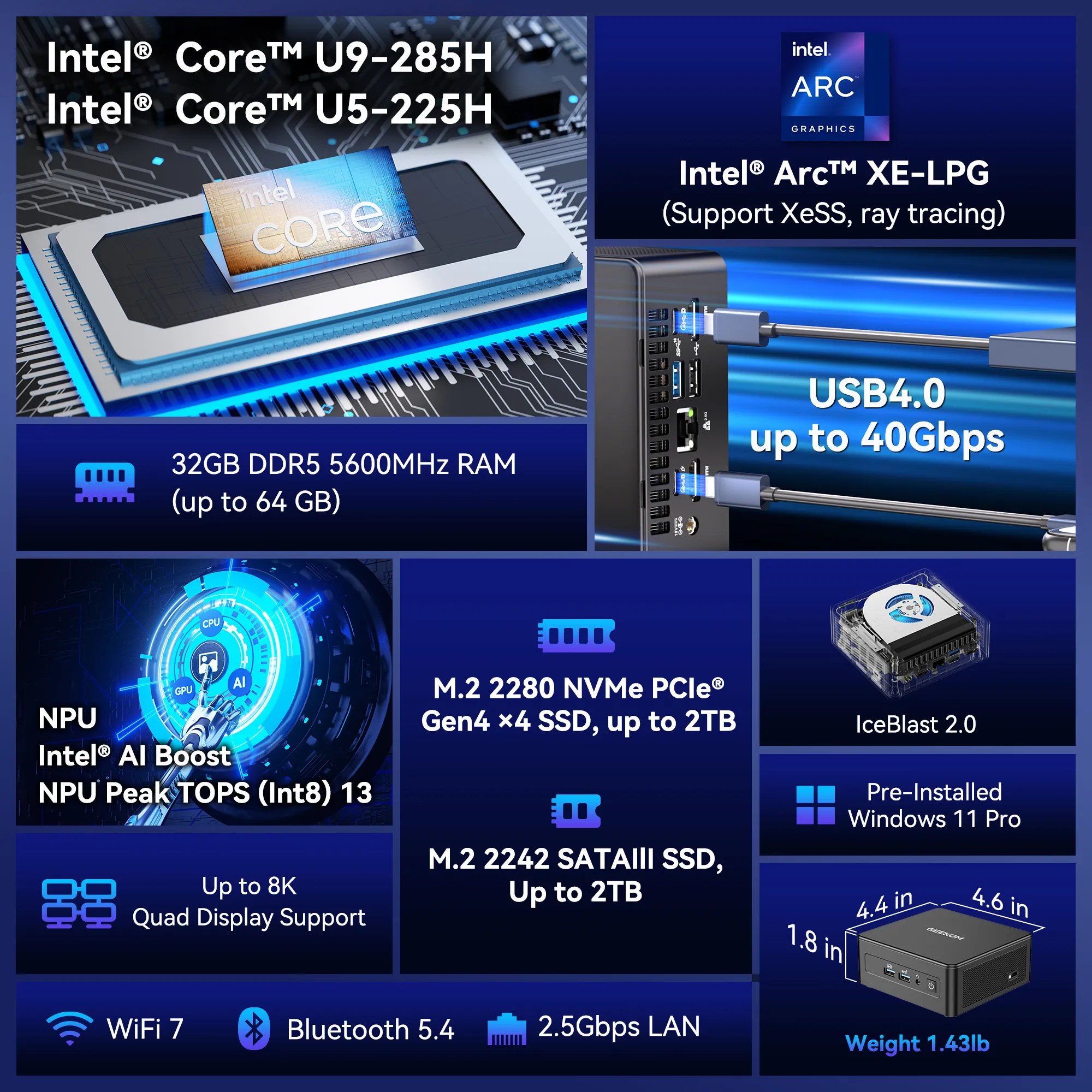
If you’re after more AI computing power, the Ultra 9 might be more suitable, and thankfully, GEEKOM happens to offer this mini PC.
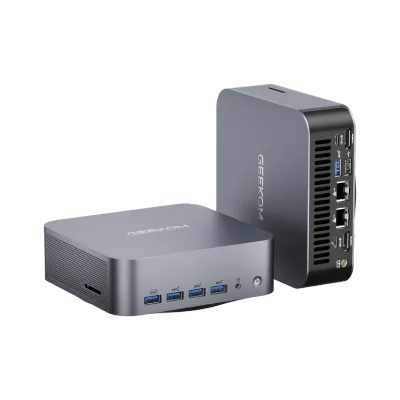
- Intel® Core™ Ultra 9 185H or Ultra 155H.
- Intel® Arc™ Graphics supports Ray Tracing and XeSS.
- Dual-channel DDR5-5600 SODIMM, up to 64GB.
- M.2 2280 PCIe 4.0 ×4 SSD, up to 2 TB.
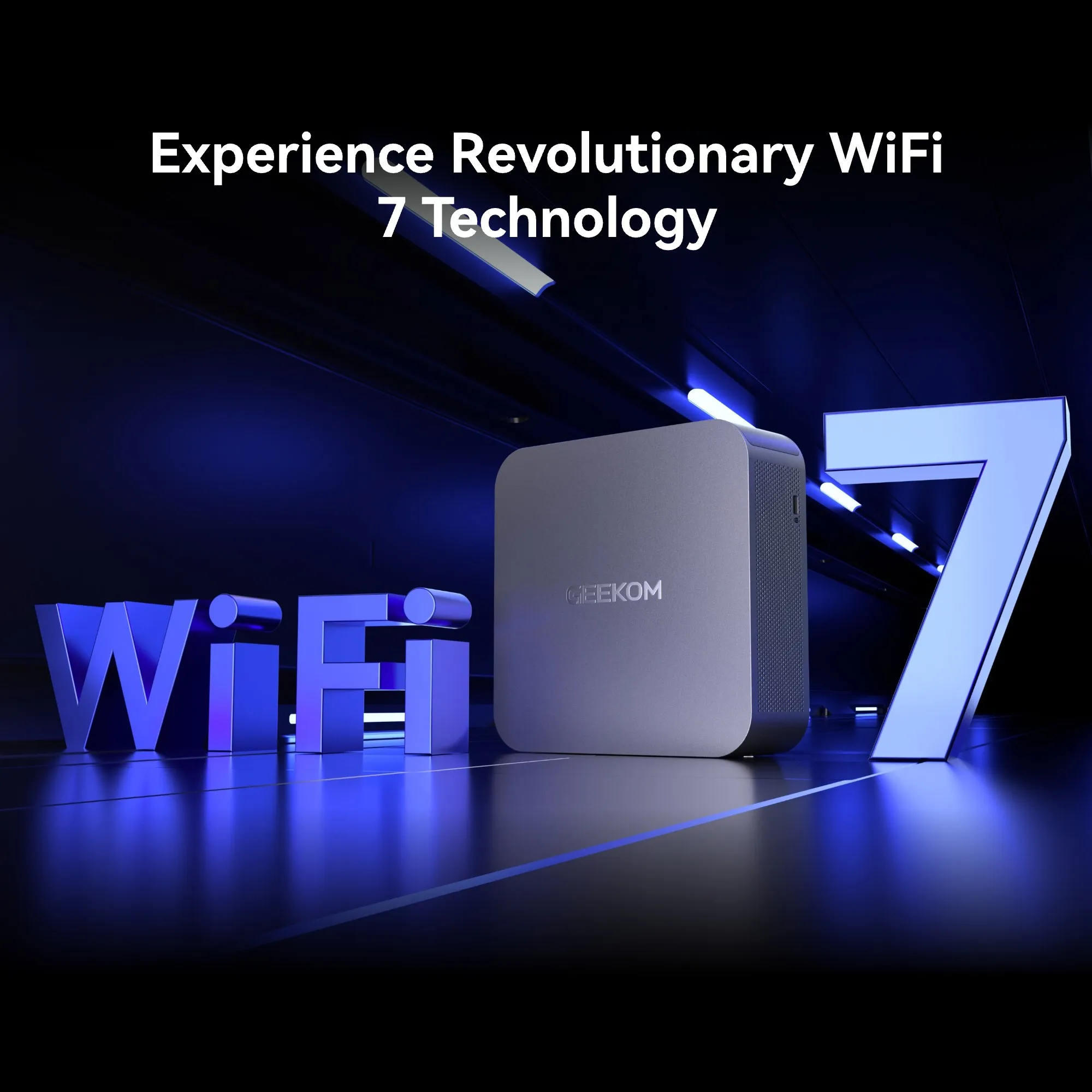
- Dual 2.5G Ethernet ports, Intel® Bluetooth® 5.4 and Wi-Fi 7.
- Innovative and Efficient Cooling System – IceBlast 2.0.
Intel Core i7:
- General Productivity and Multitasking: For users who require a reliable processor for everyday tasks such as office productivity, browsing, and light media creation, the Intel Core i7 offers a perfect blend of performance and power efficiency.
- Casual Gaming: If you plan to casually play games that are less taxing than most titles, and do not need the fastest performance, the Intel Core i7 will adequately support these needs without needing to pay for a higher-tier processor.
opics you may still be interested in: Best Intel CPUs for Gaming in 2025.
Cost/Performance
Intel Core Ultra 7 vs i7: Price/performance comparison:
- Intel Core Ultra 7: This is typically the most expensive model in the family due to its feature set. However, suppose the user can take advantage of the features in their workflows, such as on-chip AI and enhanced graphics performance. In that case, the cost can be viewed as an upgrade that pays dividends for increased performance and a longer life in future IT infrastructures.
- Intel Core i7: More affordable for users who do not need the latest features of Ultra processors. It is fast for most common use cases and sufficient for average users.
If your budget exceeds your expectations, please see here: Intel Core Ultra 5 Vs Intel Core i5.
PCs with Intel i7 are more versatile and still fit the majority of users, they are also cheaper compared to Ultra, and GEEKOM also offers the most popular GEEKOM Mini IT13:
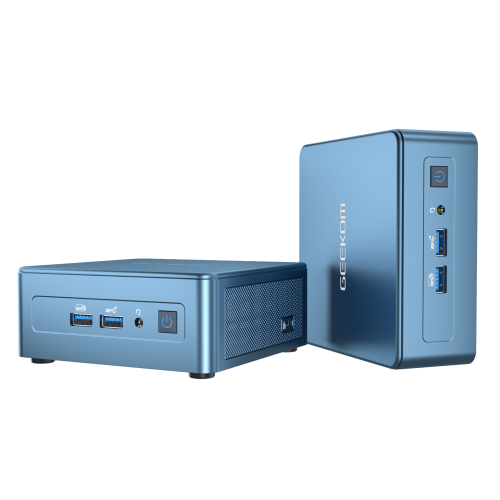
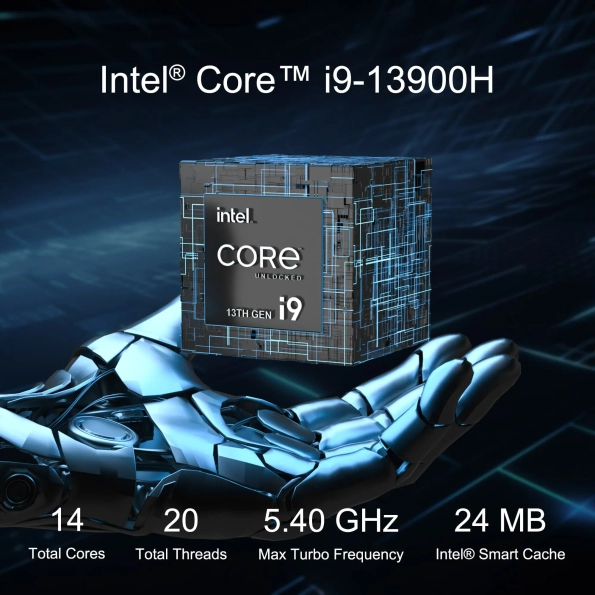
- 13th Gen Intel Core i9-13900H , Core i7-13620H
- Intel® Iris® Xe Graphics for i9, Intel® UHD Graphics for i7
- Extensive port selection including two USB4 ports and two HDMI 2.0 ports
- Intel® Bluetooth® 5.2 and Wi-Fi 6E for faster connections
Future Proofing
When it comes to the longevity of a processor, future-proofing is key:
- Intel Core Ultra 7: With the ability to support cutting-edge AI technology and graphics performance, and additional core and thread count, the Intel Core Ultra 7 is better equipped to keep pace with future software requirements and updates. It would allow users to keep their systems relevant longer before replacement.
- Intel Core i7: While still a solid processor, future performance may be inhibited as the i7 will not compete with future technologies like AI and high-end graphics without needing upgrades sooner.
Let’s take a look at Apple’s killer features! Apple M4 vs M3.
Conclusion
In conclusion, we can differentiate and consider Intel Core Ultra 7 vs i7, which is better for you, because they target different users and user-related performance. Intel Core Ultra 7 is suitable for more intensive AI computing and advanced iteration high-end graphics while benefiting from most of the features of Intel® Arc™ Graphics and Intel® AI Boost. These features make it ideal for users of serious applications related to gaming, professional content processing, or data science. When performance is critical to you or your work efficiency, you will appreciate the most advanced technology features to improve performance and productivity.
On the other hand, the Intel Core i7 provides performance users can depend on for everyday computing and productivity use, with many opportunities for multitasking and casual gaming while offering high efficiency and performance. Most users should find performance value within a combination of practical features below the cost of this processing series without utilising the unique performance enhancement of the Ultra series. The Intel Core i7 is suitable for average, safe, and high-demand use, which means the user will obtain certain performance and advances without requiring upgrades for most user-related productivity use.
When making a detailed Intel Core Ultra 7 vs i7 comparison of processors, it is primarily relevant for the user to deliberate about their computing needs at present and beyond. The user must precisely compare user performance, productivity, and smart computing technologies to future-proof upgrading considerations. Every user should consider and think ahead about their enhanced or improved software-specific performance in terms of technology enhancement. The Ultra series Intel Core processor (7) enables users to gain “future-proofing” performance after purchase, so users can see at least some desired difference in solidifying higher intensified computing demands or actively seeking to stay current and more technologically enhanced.
The final selection of the Intel Core Ultra 7 or Intel Core i7 processors is in the users’ best interests, considering the respective needs relevant to the user or organisation, their budget interests, and their expectations for any performance longevity. Suppose these criteria align the user to make a sound computing investment. In that case, they can make an effective selection for the system that is ultimately best suited for present needs and potentially improve future efficiencies.
Want to know more about Intel: Intel series blog